


Home › Comparisons › Pipedrive vs Zoho CRM
Last updated: October 29, 2026
TechCurato is reader-supported. Some links are affiliate links: we may earn a commission at no extra cost to you. Learn more.
Pipedrive vs Zoho CRM (2027): Prices, Ease of Use and Which to Pick
Choose Pipedrive if your sales team wants a simple, visual pipeline that keeps every deal moving: Lite costs about $14 per seat per month on annual billing, Growth about $39, Premium $49–59 and Ultimate about $79, with a 14-day trial. Choose Zoho CRM if you want a free plan for 3 users and deep customization at a low price: US prices are $14 on Standard, $23 on Professional, $40 on Enterprise and $52 on Ultimate per user on annual billing. Prices come from 2026 pricing guides, because both vendors price through calculators or by region.
- Pipedrive (annual, per seat) *: Lite about $14; Growth about $39; Premium $49–59; Ultimate about $79; no free plan; 14-day trial.
- Zoho CRM (US, annual, per user) *: Free for 3 users; Standard $14; Professional $23; Enterprise $40; Ultimate $52.
- Pipedrive Lite lacks email sync, according to pricing guides; Growth adds it.
- Zoho shows lower regional prices in some countries.
- 10 users with email sync and automation: Pipedrive Growth about $390/month vs Zoho Standard $140/month *.
* From 2026 pricing guides.
Pipedrive vs Zoho CRM at a glance
| Pipedrive | Zoho CRM | |
|---|---|---|
| Free plan | No | Up to 3 users |
| Entry plan | Lite about $14/seat * | Standard $14/user * |
| Popular plan | Growth about $39 * | Professional $23 * |
| Top published plan | Ultimate about $79 * | Ultimate $52 * |
| Strength | Simple visual pipeline, activity focus | Customization, value, Zoho suite |
| Setup | An afternoon | Days for a tailored setup |
What a real team pays per month (annual billing) *
| Users | Pipedrive Lite | Pipedrive Growth | Zoho Standard | Zoho Professional |
|---|---|---|---|---|
| 3 | about $42 | about $117 | $0 (Free) or $42 | $69 |
| 5 | about $70 | about $195 | $70 | $115 |
| 10 | about $140 | about $390 | $140 | $230 |
| 25 | about $350 | about $975 | $350 | $575 |
3-year cost for a growing team
A team of 3 that grows to 6 and then 12 users *:
| Year (users) | Pipedrive Growth | Zoho Free → Standard | Zoho Professional |
|---|---|---|---|
| Year 1 (3) | about $1,404 | $0 | $828 |
| Year 2 (6) | about $2,808 | $1,008 | $1,656 |
| Year 3 (12) | about $5,616 | $2,016 | $3,312 |
| Total | about $9,828 | $3,024 | $5,796 |
Ease of use
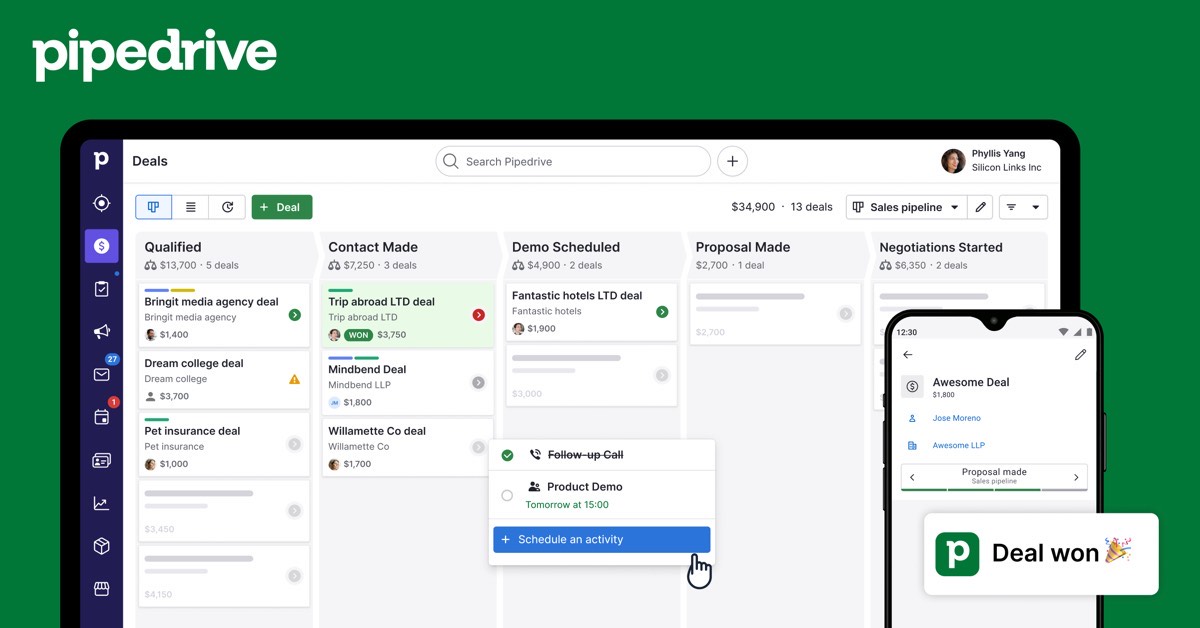
Pipedrive is designed around one screen: the pipeline. Deals are cards you drag forward, and Pipedrive prompts you for the next activity on each deal, so reps build a daily routine quickly. Zoho CRM shows more options and lets you shape fields, layouts, modules and processes; that flexibility takes longer to set up but fits unusual sales processes better.
Features that decide the choice
| If you need… | Better choice | Why |
|---|---|---|
| A free CRM for up to 3 users | Zoho CRM | Pipedrive has no free plan |
| The fastest adoption by reps | Pipedrive | Pipeline-first design |
| Custom modules and processes | Zoho CRM | Highly configurable |
| Email sync and automation at the lowest cost | Zoho CRM | Included from Standard |
| Accounting and help desk from the same vendor | Zoho | Zoho suite |
| Activity-based selling | Pipedrive | Next-step prompts |
Three real-world scenarios
Three founders starting sales
Zoho's free edition costs $0. Pipedrive Lite would cost about $42 a month.
An 8-person outbound sales team
Pipedrive Growth (about $312 a month *) keeps reps focused on activities and includes email sync. Zoho Standard (about $112 *) costs less if the team can invest a few days in setup.
A company with a custom sales process
Zoho Professional or Enterprise, with custom modules and process management.
Start Pipedrive's 14-day trial → Set up your pipeline in an afternoon · Affiliate link
Hidden costs to watch
- Pipedrive Lite lacks email sync, according to pricing guides.
- Pipedrive add-ons are billed separately from seats.
- Zoho regional pricing: check your billing country.
- Zoho setup time for complex configurations.
- Annual billing for the lowest prices on both.
Alternatives worth comparing
| CRM | Free plan | Entry price | Why consider it |
|---|---|---|---|
| HubSpot | 2 users | Starter $7/seat (annual) | Easiest free start |
| Salesforce | No | Starter Suite $25/user | Enterprise growth |
| monday CRM | No | Basic €12/seat (3-seat minimum) | Sales plus delivery |
See Pipedrive pricing, Zoho CRM pricing, Zoho CRM alternatives and Pipedrive alternatives.
Who should choose which
Choose Pipedrive if your reps need a tool they'll update every day with almost no training. Choose Zoho CRM if budget matters, you want a free start for three people, or your process needs custom modules and approvals.
How to choose in 5 steps
- Map your sales stages and anything unusual in your process.
- Count users now and in two years.
- Price the plan with email sync and automation on both.
- Trial both with 50 real deals.
- Keep the CRM your reps update without reminders.
Terms explained
- Pipeline: the stages a deal moves through.
- Activity: a scheduled call, email or meeting on a deal.
- Module: a Zoho record type, such as Leads or Deals.
- Edition: a Zoho plan level.
Integrations
Pipedrive's marketplace connects with email, calling, scheduling and marketing tools, and many teams add Zapier or Make. Zoho CRM integrates natively with the rest of the Zoho suite (Books, Desk, Campaigns and more), which saves money if you'd use several Zoho apps.
Mistakes to avoid
- Choosing Pipedrive Lite when you need email sync.
- Underestimating Zoho setup time.
- Migrating without cleaning duplicate contacts first.
Which plan to start on
Three founders can start on Zoho's free edition. Sales teams that need email sync and automation should compare Zoho Standard with Pipedrive Growth, because Pipedrive Lite lacks email sync. Move to Zoho Professional or Pipedrive Premium when you need advanced automation and reporting.
Setting up either CRM in your first week
- Write down your sales stages.
- Clean and import contacts and open deals.
- Create the pipeline with those stages.
- Connect email and calendars for every rep.
- Add one automation, such as a follow-up task when a deal moves.
- Agree that every deal must have a next step and a date.
Our verdict
Pipedrive is the better choice for sales teams that want a simple, activity-driven pipeline. Zoho CRM is the better value, with a free plan for 3 users and more customization at every price point. If your reps resist CRMs, start with Pipedrive; if your budget or process needs flexibility, start with Zoho.
How we compiled this page
Both vendors price through calculators or regional pages, so prices come from 2026 pricing guides and are marked with *. Zoho's own page showed lower regional prices when we checked from Morocco on October 30, 2026.
FAQ
Is Zoho CRM cheaper than Pipedrive?
Usually, yes: Zoho is free for 3 users and its Standard edition includes features Pipedrive keeps for Growth.
Is Pipedrive easier than Zoho CRM?
Yes, for most sales teams.
Does Pipedrive have a free plan?
No, but it offers a 14-day trial.
Which is better for small businesses?
Zoho for budget and customization; Pipedrive for simplicity.
Can I migrate from Pipedrive to Zoho?
Yes. Zoho offers import tools for Pipedrive data.
Which has better automation?
Zoho includes workflow automation from its lower editions; Pipedrive adds automations from Growth.
Which has better mobile apps?
Both offer iOS and Android apps for deals, contacts and activities.
Does Pipedrive include marketing tools?
Pipedrive offers marketing add-ons; Zoho has a separate email marketing app in its suite.
Which is better for agencies?
Pipedrive for agencies with a simple sales pipeline; Zoho for agencies that want CRM, invoicing and support from one vendor.
Is there a contract?
Both offer monthly billing; annual billing lowers the price.
Can I try both before paying?
Yes. Use the free plans or trials of both with real data for a week, then decide.
Can I switch later?
Yes. Both import and export CSV files; switching is easier while your data is still simple.
Sources
pipedrive.com/pricing and zoho.com/crm/zohocrm-pricing.html, checked October 30, 2026; prices from 2026 pricing guides.
Related
- 4 Best Pipedrive Alternatives in 2027 (Free & Paid)
- Pipedrive Pricing 2027: Every Plan, Add-ons & Team Costs
- Pipedrive vs HubSpot (2027): Which CRM Is Better?
- Salesforce vs Pipedrive (2027): Prices & Which CRM to Pick
- Zoho CRM vs Salesforce (2027): Prices & Which CRM to Pick