


Home › Best tools › Best CRM for Freelancers
Last updated: October 29, 2026
TechCurato is reader-supported. Some links are affiliate links: we may earn a commission at no extra cost to you. Learn more.
Best CRM for Freelancers (2027): 5 Free and Cheap Options
The best CRM for most freelancers is HubSpot's free CRM: it costs nothing, tracks contacts, deals and email conversations, and Sales Hub Starter costs only $7 a month on annual billing if you need sequences. Zoho CRM is a strong free alternative (free for up to 3 users), Pipedrive is best for freelancers who sell actively (about $14 a month *), and Notion or Airtable are best if you'd rather build a simple client tracker yourself.
- Best overall: HubSpot (free CRM; Starter $7/month)
- Best free alternative: Zoho CRM (free for up to 3 users)
- Best for active selling: Pipedrive (Lite about $14/month *)
- Best DIY tracker: Notion (free for individuals)
- Best for structured client data: Airtable (free up to 1,000 records per base)

* From 2026 pricing guides.
What a freelancer actually needs from a CRM
Most freelancers don't need forecasting or territories. They need to remember who they talked to and when, see which proposals are open, get reminded to follow up, and keep notes on each client. A free CRM or a simple database does all of that. Pay only when automation or sequences will win you more work.
CRMs for freelancers compared
| Tool | Free plan | Paid price for one person | Best for |
|---|---|---|---|
| HubSpot | Free CRM (up to 2 users) | Starter $7/month (annual) | Most freelancers |
| Zoho CRM | Up to 3 users | Standard $14/month (US, annual) * | Customization |
| Pipedrive | No (14-day trial) | Lite about $14/month * | Active outbound selling |
| Notion | Free for individuals | Plus $10/month | DIY client tracker plus docs |
| Airtable | 1,000 records per base | Team $20/month (annual) | Structured client data |
| monday CRM | No | Basic €36/month (3-seat minimum) | Teams, not solo freelancers |
Cost for one freelancer per year
| Tool | Plan | Per year |
|---|---|---|
| HubSpot | Free | $0 |
| Zoho CRM | Free | $0 |
| Notion | Free | $0 |
| HubSpot | Starter (annual) | $84 |
| Pipedrive | Lite * | about $168 |
| monday CRM | Basic (3 seats) | €432 |
1. HubSpot: best overall for freelancers
HubSpot's free CRM tracks contacts, companies and deals, logs emails and meetings, and includes a meeting scheduler and simple forms. Starter at $7 a month (annual) adds sequences and removes some limits.
Choose it if you want a real CRM at no cost. See HubSpot Sales Hub pricing.
2. Zoho CRM: best free alternative
Zoho's free edition supports up to 3 users with workflow automation and standard reports. Paid editions start at $14 per user in the US *, and Zoho shows lower regional prices in some countries.
Choose it if you want more customization or plan to bring in a collaborator. See Zoho CRM pricing.
3. Pipedrive: best for active selling
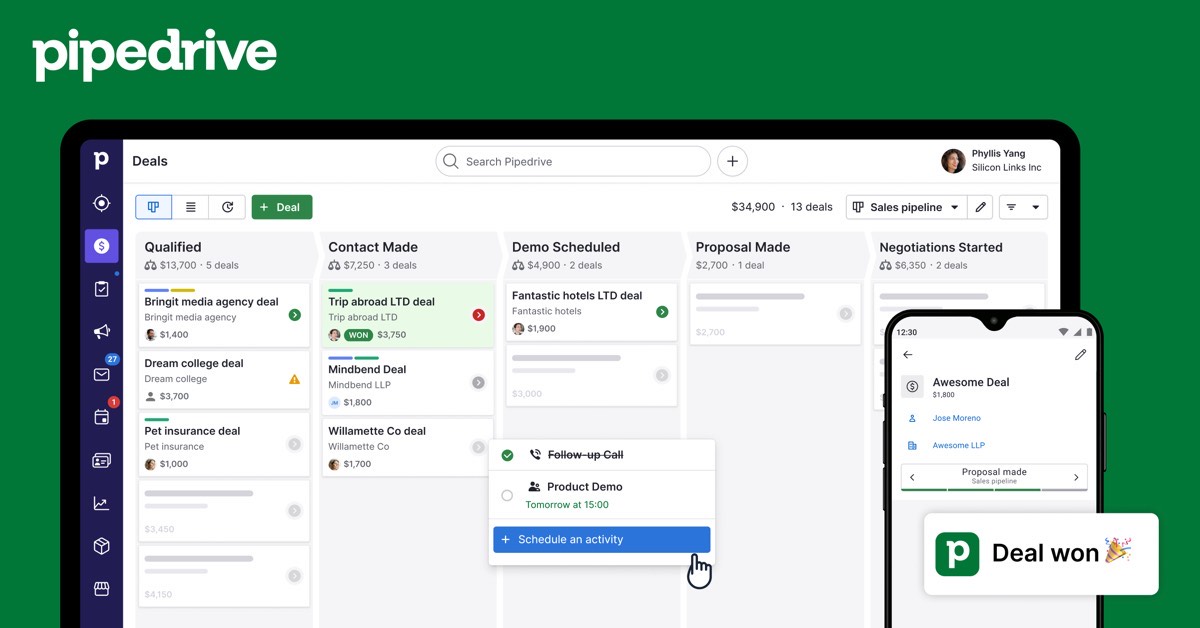
Pipedrive's visual pipeline and activity reminders suit freelancers who pitch many prospects. Lite costs about $14 a month on annual billing *; email sync starts on Growth.
Choose it if you run outbound prospecting every week.
4. Notion: best DIY client tracker
Notion's free plan is unlimited for one person. A simple database of clients and proposals, with a board view by stage, sits next to your project notes and contracts.
Choose it if you prefer flexibility to built-in CRM features. See Notion pricing.
5. Airtable: best for structured client data
Airtable's free plan supports 1,000 records per base, enough for most freelancers' clients, projects and invoices linked together.
Choose it if you like spreadsheets but want linked records and forms.
Start HubSpot's free CRM → Free, no credit card · Affiliate link
Three real-world scenarios
A designer with 15 active clients
HubSpot's free CRM or a Notion database is enough.
A consultant pitching 30 companies a month
Pipedrive's activity-driven pipeline keeps follow-ups on track.
A developer who wants to automate onboarding
HubSpot Starter at $7 a month for sequences, or Airtable with automations.
How to choose a CRM as a freelancer
- List the stages a client goes through, from first contact to paid invoice.
- Decide whether you need automation or just reminders.
- Start with a free tool.
- Import your current clients and open proposals.
- Pay only when a feature will win you more work.
Mistakes to avoid
- Paying for team CRMs with seat minimums.
- Building an over-complicated tracker you stop using.
- Keeping client notes only in your inbox.
Terms explained
- Deal: a potential project or sale.
- Pipeline: the stages a deal moves through.
- Sequence: an automated series of follow-up emails.
- Seat minimum: the smallest number of paid users a plan requires.
Who each pick suits
A designer or writer with a few repeat clients can run everything from HubSpot's free CRM or a Notion database. A consultant who sends many proposals and follow-ups benefits from Pipedrive's activity reminders or HubSpot Starter's sequences. A freelancer who works with a partner or assistant can use Zoho CRM's free plan for 3 users. A developer who likes building systems will enjoy Airtable's linked tables for clients, projects and invoices.
Setting up a freelance CRM in an afternoon
- Write down your stages: lead, proposal sent, negotiating, won, delivered, paid.
- Import current clients and open proposals.
- Connect your email so conversations are logged.
- Add a follow-up reminder for every open proposal.
- Review the pipeline every Monday morning.
Features compared
| Feature | HubSpot Free | Zoho CRM Free | Pipedrive Lite | Notion | Airtable Free |
|---|---|---|---|---|---|
| Deal pipeline | Yes | Yes | Yes | Board view | Kanban view |
| Email logging | Yes | Yes | Growth plan | No | No |
| Reminders and tasks | Yes | Yes | Yes | Basic | Automations |
| Forms | Yes | Web forms | Add-ons | Yes | Yes |
| Cost | $0 | $0 | about $14/month * | $0 | $0 |
When a freelancer should upgrade
Stay on a free CRM until a missing feature costs you work. Typical triggers are missed follow-ups because reminders aren't enough, prospecting at a volume where sequences save hours, or a partner joining who needs shared access. At that point HubSpot Starter at $7 a month or Pipedrive at about $14 * is usually the cheapest step up.
Our verdict
HubSpot's free CRM is the best CRM for most freelancers: it costs nothing and covers what a solo business needs. Zoho CRM is a strong free alternative, Pipedrive suits freelancers who sell actively, and Notion or Airtable suit freelancers who prefer a flexible DIY tracker. Avoid CRMs with seat minimums when you work alone.
How we compiled this ranking
We checked official pricing pages on October 29–30, 2026 (HubSpot, Notion, Airtable, monday CRM) and used 2026 pricing guides for Zoho CRM US prices and Pipedrive, marked with *. See also best CRM for startups and best CRM for small business.
FAQ
What is the best free CRM for freelancers?
HubSpot's free CRM; Zoho CRM's free edition is a close alternative.
Do freelancers need a CRM?
If you juggle more than a handful of clients and proposals, a simple CRM helps you follow up on time.
Can I use Notion as a CRM?
Yes, with a database of clients and proposals; it lacks built-in email logging.
Is Pipedrive worth it for freelancers?
For freelancers who prospect actively, yes; for a few repeat clients, a free CRM is enough.
Which CRM has no seat minimum?
HubSpot, Zoho CRM, Pipedrive, Notion and Airtable; monday CRM requires 3 seats.
Can I connect a CRM to my invoicing tool?
Yes. Most CRMs connect to invoicing tools directly or through Zapier and Make.
Should I use a spreadsheet instead?
A spreadsheet works for a handful of clients; a free CRM adds email logging and reminders at no cost.
Do I need a CRM with invoicing?
Not necessarily. Most freelancers connect a CRM to a separate invoicing tool.
Which CRM is easiest to learn?
HubSpot and Pipedrive are the quickest to set up for a solo user.
Can a CRM send proposals?
Some do through add-ons or integrations; many freelancers use a separate proposal tool linked to the CRM.
Is HubSpot really free?
Yes, the free CRM has no time limit.
Does Zoho CRM have a mobile app?
Yes, for iOS and Android.
Sources
hubspot.com/pricing/sales, notion.com/pricing, airtable.com/pricing and monday.com/crm/pricing, checked October 29–30, 2026; Zoho CRM and Pipedrive from 2026 pricing guides.