


Home › Comparisons › monday.com vs Trello
Last updated: October 29, 2026
TechCurato is reader-supported. Some links are affiliate links: we may earn a commission at no extra cost to you. Learn more.
monday.com vs Trello (2027): Prices, Limits and Which One to Pick
Choose Trello if you want simple boards at the lowest price: it's free for up to 10 collaborators and 10 boards per Workspace, and Standard costs $5 per user per month on annual billing. Choose monday.com if you want flexible, colorful boards you can shape into any workflow, with dashboards and automation: Basic costs $9 per seat, Standard $12 and Pro $19 on annual billing, with a 3-seat minimum. For a 10-person team, Trello Standard costs $50 a month and monday.com Standard $120.
- Trello: Free (10 boards, 10 collaborators per Workspace, 250 command runs/month); Standard $5, Premium $10, Enterprise $17.50 per user (annual).
- monday.com: Free (2 seats, 3 boards, 3 docs); Basic $9, Standard $12, Pro $19 per seat (annual); 3-seat minimum.
- monday.com automations: 250/month on Standard, 25,000 on Pro.
- 10 users: Trello Standard $50/month vs monday.com Standard $120/month.
- A solo user pays for 3 seats on monday.com ($36/month on Standard).
monday.com vs Trello at a glance
| Trello | monday.com | |
|---|---|---|
| Free plan | 10 boards, 10 collaborators | 2 seats, 3 boards, 3 docs |
| Entry paid plan | Standard $5/user (annual) | Basic $9/seat (annual) |
| Most popular plan | Standard $5 | Standard $12 |
| Upper plan | Premium $10 | Pro $19 |
| Seat minimum | None | 3 seats |
| Best for | Simple Kanban workflows | Custom workflows, dashboards, automation |
Pricing compared
Free plans
Trello's free plan is much larger for teams: 10 collaborators against monday.com's 2 seats. A small team can use Trello free; on monday.com, the third person requires a paid plan.
Paid plans
Trello Standard ($5) costs less than half of monday.com Standard ($12). Trello Premium ($10) is close to monday.com Basic ($9), but monday.com Basic doesn't list automations or integrations, so most teams compare Trello Premium with monday.com Standard.
Seat minimums
monday.com requires at least 3 paid seats, and sells seats in buckets. A solo user on Standard pays $36 a month; a 4-person team may pay for 5 seats. Trello bills each user.
What a real team pays per month
| Users | Trello Standard | Trello Premium | monday.com Basic | monday.com Standard | monday.com Pro |
|---|---|---|---|---|---|
| 1 | $5 | $10 | $27 (3-seat minimum) | $36 | $57 |
| 3 | $15 | $30 | $27 | $36 | $57 |
| 5 | $25 | $50 | $45 | $60 | $95 |
| 10 | $50 | $100 | $90 | $120 | $190 |
| 25 | $125 | $250 | $225 | $300 | $475 |
3-year cost for a growing team
A team of 5 that doubles each year, on annual billing:
| Year (users) | Trello Standard | Trello Premium | monday.com Standard | monday.com Pro |
|---|---|---|---|---|
| Year 1 (5) | $300 | $600 | $720 | $1,140 |
| Year 2 (10) | $600 | $1,200 | $1,440 | $2,280 |
| Year 3 (20) | $1,200 | $2,400 | $2,880 | $4,560 |
| Total | $2,100 | $4,200 | $5,040 | $7,980 |
Trello Standard costs about 42% of monday.com Standard over three years.
How each tool works
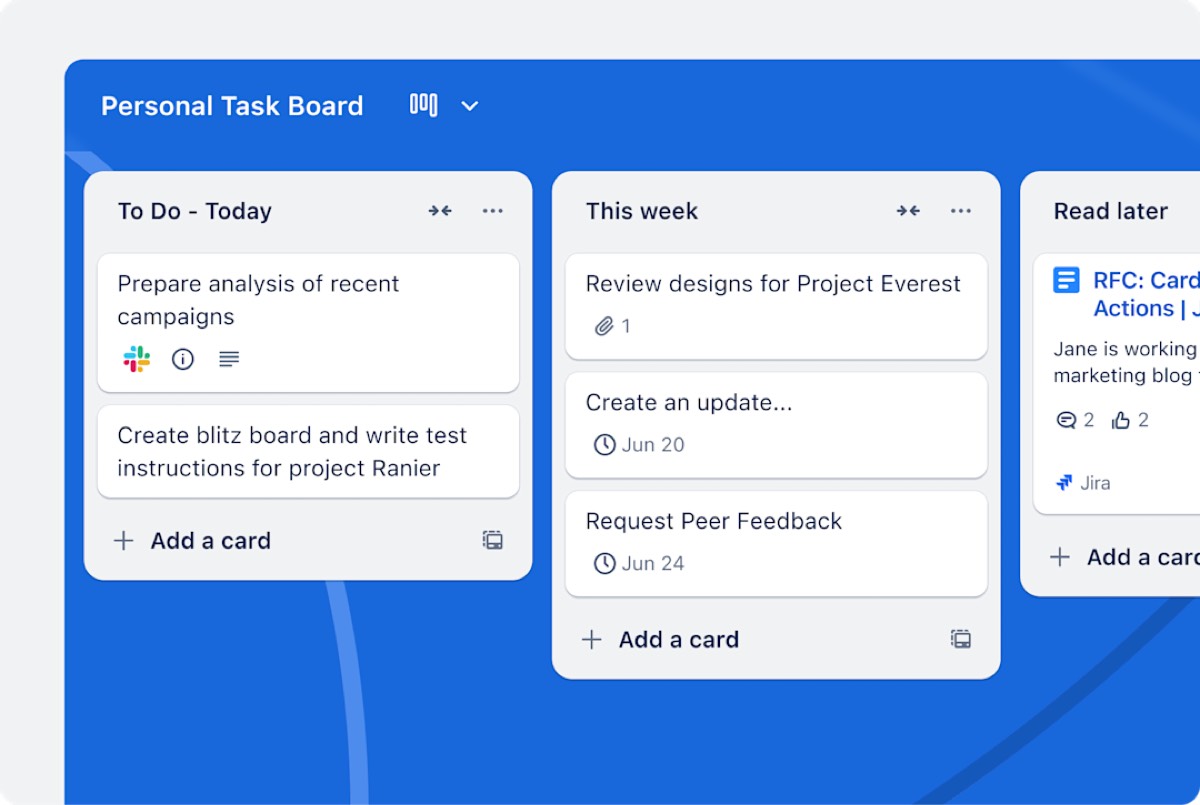
Trello uses Kanban boards: lists for stages and cards for tasks. It's the fastest tool to learn and works best when work moves through simple stages.
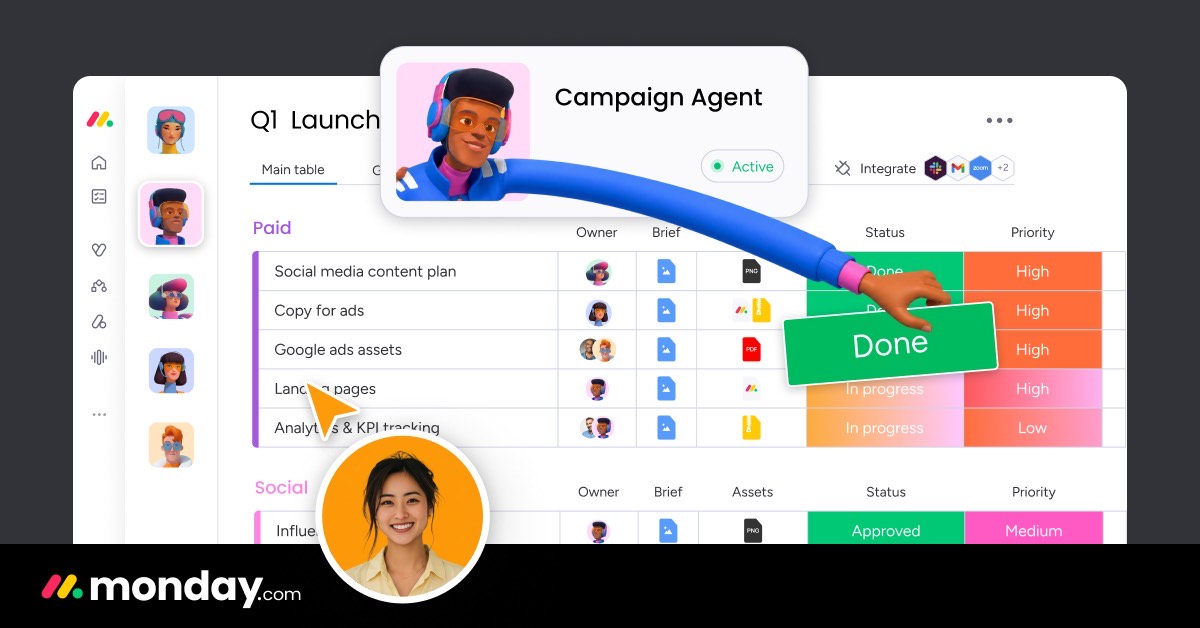
monday.com uses boards that look like colorful spreadsheets: each row is an item and each column can hold a status, owner, date, number or formula. You can build anything from a content calendar to a CRM or an inventory tracker, add dashboards across boards and automate status changes.
Features that decide the choice
| If you need… | Better choice | Why |
|---|---|---|
| The lowest price | Trello | $5 per user |
| A free plan for a team of 3 to 10 | Trello | 10 collaborators |
| Custom columns and data on every item | monday.com | Spreadsheet-like boards |
| Dashboards across projects | monday.com | Built-in dashboards |
| Heavy automation | monday.com Pro | 25,000 actions/month |
| One paid user | Trello | No seat minimum |
Three real-world scenarios
A 4-person design studio
Projects move through Brief, Design, Review and Delivered: Trello's free plan covers it. monday.com would require a paid plan with at least 3 seats.
A 15-person operations team tracking orders, vendors and requests
Different workflows with custom fields, dashboards and automation: monday.com Standard (about $180 a month) or Pro (about $285) fits better.
A solo consultant
Trello Standard at $5 a month, or free. monday.com would cost at least $27 a month on Basic because of the 3-seat minimum.
Try monday.com free → Free for 2 seats, no credit card · Affiliate link
Hidden costs to watch
- monday.com's 3-seat minimum and seat buckets.
- monday.com Basic doesn't list automations or integrations.
- Trello's free limits: 10 boards and 250 command runs a month.
- Trello Power-Ups from third parties may cost extra.
- Monthly billing costs more on both.
Alternatives worth comparing
| Tool | Entry price (annual) | Why consider it |
|---|---|---|
| ClickUp | Core $9/user | All-in-one, no seat minimum |
| Asana | Starter $10.99/user | Structured projects |
| Airtable | Team $20/editor | Relational databases |
See monday.com pricing, Trello pricing, Trello vs ClickUp, Asana vs monday.com and monday.com alternatives.
How to choose in 5 steps
- Map your workflows: simple stages, or custom data per item.
- Count users, including monday.com's 3-seat minimum and buckets.
- Count automations you'd run each month.
- Run one real project in both free plans.
- Choose the tool your team updated without reminders.
Terms explained
- Board: a project view in both tools.
- Card: a task on a Trello board.
- Item and column: a row and a field on a monday.com board.
- Seat bucket: monday.com's packs of seats (for example 3, 5, 10).
- Automation action: one execution of an automated rule.
Ease of use and adoption
Trello wins on simplicity: anyone understands a board of cards in minutes, which makes it easy to roll out to clients, freelancers and non-technical teams. monday.com is also easy to start with templates, but its flexibility means someone needs to design boards, columns and automations well. Teams that invest an afternoon in that setup get far more out of monday.com; teams that don't want to design anything usually stay happier on Trello.
Integrations and automation
Both connect with Slack, Google Workspace, Microsoft Teams and many other apps, and both work with Zapier and Make. Trello's automation is included with command-run limits (250 a month on Free). monday.com Standard includes 250 automation actions a month and Pro 25,000, which is the main reason growing operations teams upgrade to Pro.
Our verdict
Trello is the better choice for small teams with simple workflows: free for 10 collaborators, $5 per user on Standard and easy to learn. monday.com is the better choice for teams that need custom data, dashboards and automation across many workflows, at $12 to $19 per seat with a 3-seat minimum. If your Trello cards keep needing more fields and reports, monday.com is the natural next step.
How we compiled this page
We compared monday.com's and Trello's official pricing pages on October 29, 2026, using annual billing, and included monday.com's 3-seat minimum in team costs.
FAQ
Is Trello cheaper than monday.com?
Yes. Trello Standard costs $5 per user versus $12 for monday.com Standard, and Trello has no seat minimum.
Is monday.com better than Trello?
For custom workflows, dashboards and automation, yes. For simple boards, Trello is easier and cheaper.
Which has a better free plan?
Trello: 10 collaborators and 10 boards versus monday.com's 2 seats and 3 boards.
Does monday.com have a seat minimum?
Yes, 3 seats on paid plans.
Can I import Trello boards into monday.com?
Yes. monday.com offers a Trello importer.
Which is better for client work?
Trello is easier to share with clients who just need to see progress. monday.com is better when you track budgets, dates and deliverables for many clients in one dashboard.
Which is better for a CRM?
monday.com, thanks to its custom columns and its separate monday CRM product (from €12 per seat, annual, 3-seat minimum). Trello can track simple deal stages on a board.
Can guests use either tool for free?
Both let you share boards with people outside your team; on Trello, collaborators count toward the free plan's 10-person limit, and on monday.com, check the guest rules for your plan.
Which has better mobile apps?
Both offer iOS and Android apps for updating work on the go.
Sources
monday.com/pricing and trello.com/pricing, checked October 29, 2026.
Related
- 5 Best monday.com Alternatives in 2027 (Cheaper & Free)
- monday.com Pricing 2027: Every Plan & What You'll Really Pay
- ClickUp vs monday.com (2027): Prices, Limits & Verdict
- Asana vs monday.com (2027): Prices, Limits & Which to Pick
- Trello vs Asana (2027): Prices, Free Plans & Which to Pick