


Home › Comparisons › Trello vs ClickUp
Last updated: October 29, 2026
TechCurato is reader-supported. Some links are affiliate links: we may earn a commission at no extra cost to you. Learn more.
Trello vs ClickUp (2027): Prices, Free Plans and Which One to Pick
Choose Trello if your team wants simple, visual boards at the lowest price: it's free for up to 10 collaborators and 10 boards per Workspace, and Standard costs $5 per user per month on annual billing. Choose ClickUp if you want an all-in-one workspace with many views, docs, dashboards and automation: its Free Forever plan includes 60 MB of storage and 100 automation actions a month, and Core costs $9 per user on annual billing ($12 regular). ClickUp costs $4 more per user and does much more; Trello is easier and cheaper.
- Trello: Free (10 boards, 10 collaborators per Workspace, 250 command runs/month); Standard $5, Premium $10, Enterprise $17.50 per user (annual).
- ClickUp: Free Forever (60 MB storage, 100 automation actions/month, up to 5 active rules); Core $9 ($12 regular); Business $17 ($25 regular); no seat minimum.
- 10 users on entry paid plans: Trello $50/month vs ClickUp $90/month.
- 3-year cost for a team growing 5 → 10 → 20: Trello Standard $2,100 vs ClickUp Core $3,780.
- Learning curve: Trello minutes; ClickUp days.
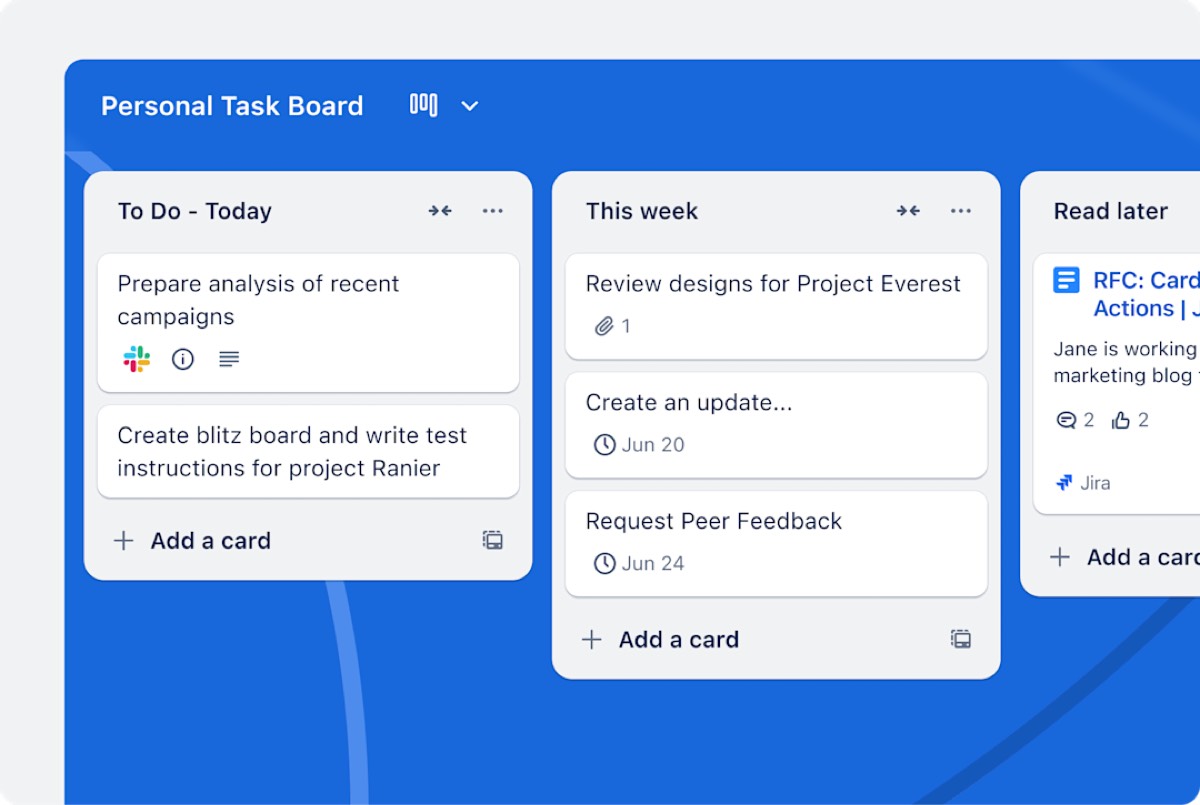

Trello vs ClickUp at a glance
| Trello | ClickUp | |
|---|---|---|
| Free plan | 10 boards, 10 collaborators | Free Forever: 60 MB, 100 automation actions |
| Entry paid plan | Standard $5/user (annual) | Core $9/user (annual) |
| Next tier | Premium $10/user | Business $17/user |
| Views | Boards (more on Premium) | List, board, calendar, Gantt, workload and more |
| Docs and dashboards | Limited | Built in |
| Best for | Simple visual workflows | All-in-one project management |
Pricing compared
Free plans
Trello's free plan is generous for small teams: 10 collaborators and 10 boards per Workspace. ClickUp's Free Forever plan offers more features (many views, docs, basic automation) but limits storage to 60 MB and automation to 100 actions a month.
Entry paid plans
Trello Standard at $5 per user is the cheapest paid plan in project management. ClickUp Core costs $9 per user on annual billing, against a regular price of $12.
Upper tiers
Trello Premium ($10) adds more views and admin features; ClickUp Business ($17, regular $25) adds advanced automation, dashboards and time tracking features. Trello Enterprise costs $17.50 per user on annual billing.
What a real team pays per month
| Users | Trello Standard | Trello Premium | ClickUp Core | ClickUp Business |
|---|---|---|---|---|
| 3 | $15 | $30 | $27 | $51 |
| 5 | $25 | $50 | $45 | $85 |
| 10 | $50 | $100 | $90 | $170 |
| 25 | $125 | $250 | $225 | $425 |
3-year cost for a growing team
A team of 5 that doubles each year, on annual billing:
| Year (users) | Trello Standard | Trello Premium | ClickUp Core | ClickUp Business |
|---|---|---|---|---|
| Year 1 (5) | $300 | $600 | $540 | $1,020 |
| Year 2 (10) | $600 | $1,200 | $1,080 | $2,040 |
| Year 3 (20) | $1,200 | $2,400 | $2,160 | $4,080 |
| Total | $2,100 | $4,200 | $3,780 | $7,140 |
Trello Standard is the cheapest. Trello Premium and ClickUp Core cost about the same, so compare their features if you need more than simple boards.
How each tool works
Trello is a Kanban board: lists for stages, cards for tasks. Everything is visual and immediate, and anyone can learn it in minutes. Power-Ups add features such as calendars or custom fields.
ClickUp organizes work as Spaces, Folders, Lists and Tasks, with a dozen views of the same work, plus docs, goals, dashboards, time tracking and automation. It replaces several tools, but takes longer to set up and learn.
Features that decide the choice
| If you need… | Better choice | Why |
|---|---|---|
| The lowest price | Trello | $5 vs $9 per user |
| A tool anyone learns in minutes | Trello | Simple boards |
| Many views of the same work | ClickUp | List, board, calendar, Gantt, workload |
| Docs and dashboards in the same tool | ClickUp | Built in |
| Time tracking and workload | ClickUp | Native features |
| A free plan for 10 people with simple boards | Trello | 10 collaborators |
Three real-world scenarios
A 5-person content team
An editorial board with Ideas, Writing, Editing and Published: Trello's free plan covers it. Upgrade to Standard ($25 a month) when you pass 10 boards.
A 12-person agency tracking client work and hours
Tasks, deadlines, time tracking and client dashboards: ClickUp Core ($108 a month) or Business ($204) replaces several tools. Trello would need Premium plus Power-Ups.
A 30-person company standardizing on one tool
If most teams need only boards, Trello Standard ($150 a month) keeps it simple. If teams need reporting, goals and docs, ClickUp Business ($510 a month) is more complete.
Try ClickUp Free Forever → No credit card required · Affiliate link
Hidden costs to watch
- Trello's free limits: 10 boards and 250 command runs per Workspace a month.
- ClickUp's free limits: 60 MB of storage and 100 automation actions a month.
- Trello Power-Ups may add third-party costs.
- ClickUp's AI may be sold as an add-on.
- Setup time: ClickUp takes longer to configure well.
Alternatives worth comparing
| Tool | Entry price (annual) | Why consider it |
|---|---|---|
| Asana | Starter $10.99/user | Structured projects, unlimited automations |
| monday.com | Basic $9/seat (3-seat minimum) | Flexible visual workflows |
| Notion | Plus $10/seat (monthly price) | Docs and wikis |
See Trello pricing, ClickUp pricing, Trello vs Asana, monday vs Trello and ClickUp alternatives.
How to choose in 5 steps
- Describe your work: simple stages on a board, or projects with many moving parts.
- Count users and active projects.
- List must-have views and features.
- Run one real project in each free plan for a week.
- Choose the tool your team kept updating.
Terms explained
- Kanban board: a board where cards move across columns.
- Power-Up: a Trello add-on.
- Space, Folder, List: ClickUp's containers for organizing work.
- Workload view: a ClickUp view of how much work each person has.
- Command run: one execution of a Trello automation.
Automation and integrations
Trello includes automation (Butler) with command-run limits: 250 a month per Workspace on Free. ClickUp's Free Forever plan includes 100 automation actions a month, with more on paid plans. Both connect with Slack, Google Workspace and hundreds of apps, and both work with Zapier and Make for anything else. Teams that automate heavily usually find ClickUp's paid plans more capable, while Trello's automation covers the basics such as moving cards and assigning members.
When to move from Trello to ClickUp
Consider ClickUp when your team keeps adding Power-Ups for calendars, time tracking and reporting, when managers ask for dashboards you build by hand, or when projects need dependencies and workload views. If none of these applies, Trello remains the cheaper, simpler tool.
Our verdict
Trello is the better choice for teams that want simple boards at the lowest price: free for 10 collaborators and $5 per user on Standard. ClickUp is the better choice for teams that want one tool for everything: tasks, many views, docs, dashboards and automation from $9 per user. If your team keeps adding Power-Ups and spreadsheets around Trello, it's time to try ClickUp.
How we compiled this page
We compared Trello's and ClickUp's official pricing pages on October 29, 2026, using annual billing; ClickUp's regular prices are those shown on its page.
FAQ
Is Trello cheaper than ClickUp?
Yes: $5 per user on Trello Standard versus $9 on ClickUp Core, both on annual billing.
Is ClickUp better than Trello?
For teams that need many views, docs, dashboards and automation, yes. For simple boards, Trello is easier and cheaper.
Which free plan is better?
Trello's for teams up to 10 people working in simple boards; ClickUp's for individuals and small teams who want more features.
Can I import Trello boards into ClickUp?
Yes. ClickUp has a Trello importer.
Which is easier to learn?
Trello. Most people understand it in minutes.
Which is better for agencies?
ClickUp, for agencies tracking time, workload and client dashboards. Trello, for small studios that just need visual boards to share with clients.
Is ClickUp too complex for small teams?
It can feel busy at first. Start with one Space and one List, use only the views you need, and add features gradually.
Sources
trello.com/pricing and clickup.com/pricing, checked October 29, 2026.
Related
- 5 Best ClickUp Alternatives in 2027 (Simpler & Free)
- ClickUp vs Asana (2027): Prices, Limits & Verdict
- ClickUp vs monday.com (2027): Prices, Limits & Verdict
- ClickUp Pricing 2027: Free, Core, Business & Real Team Costs
- ClickUp vs Notion (2027): Prices, Free Plans & Which to Pick